Getting started
User manual
paceR calculates the distance, time, speed, and pace of a run. Enter two compatible values and the app instantly calculates the other two.
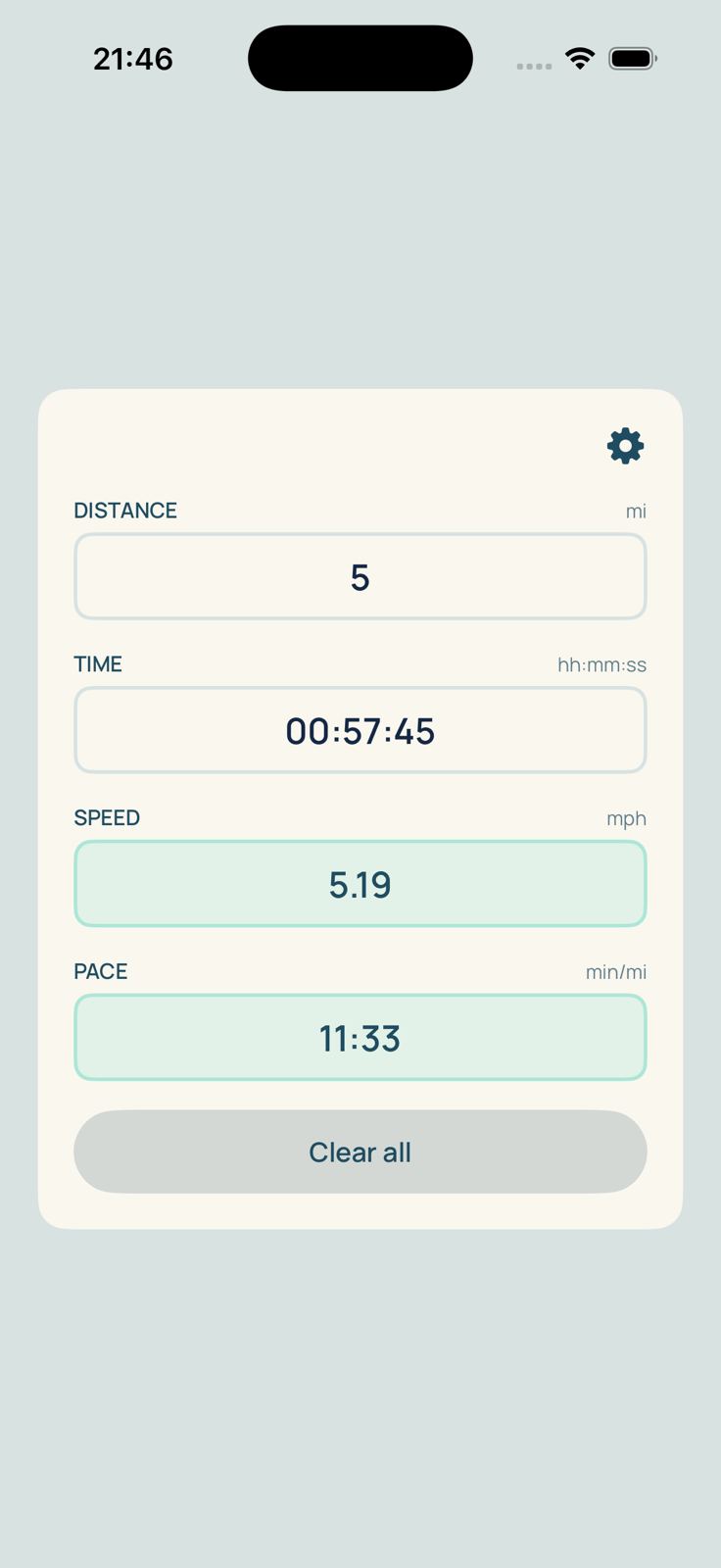
Run a calculation
- Tap a field and enter the first value.
- Enter a second value in another field.
- The two missing values are calculated automatically. Calculated fields have a mint-green background.
Example: 10 km completed in 00:57:45 corresponds to 10.39 km/h and a pace of 5:47 min/km.
Available combinations
- Distance + Time
- Distance + Speed
- Distance + Pace
- Time + Speed
- Time + Pace
Speed and pace describe the same information, so they cannot determine distance or time on their own. When more than two values are displayed, the two most recently edited values become the basis for the new calculation.
Input formats
| Field | Format | Example |
|---|---|---|
| Distance | Number in km or mi | 10 or 5.5 |
| Time | hh:mm:ss | 00:57:45 |
| Speed | km/h or mph | 10.39 |
| Pace | min/km or min/mi | 5:47 |
Both decimal points and commas are accepted. For Time and Pace, simply enter the digits: colons are added automatically.
Settings
Tap the gear icon to choose a light or dark theme, English or French, and kilometres or miles. Displayed values are converted automatically and your preferences remain saved on the device.
Start over
Tap Clear all to remove the current calculation. Distance returns to its initial value of 1 km or 1 mi.
Privacy
paceR works directly on your device, with no account, authentication, advertising, or connection to a third-party service. The app does not collect, transmit, or share any data.
Need help?
Make sure two compatible values greater than zero have been entered. If only Speed and Pace are filled in, add a Distance or Time value. You can also visit the Support page.